

Strong 8k OTT IPTV

Strong 8K IPTV Setup Guide

Strong 8K IPTV Installation & Setup Guide

Learn how to set up Strong 8K IPTV on compatible devices and applications. Explore Strong 8K apps, IPTV players and installation options for Firestick, Android TV, Smart TV and other supported streaming devices.
Strong 8K App
IPTV Players
Firestick
Android TV
Smart TV
Strong 8K IPTV setup and installation guide
Strong 8K IPTV Setup & Player Guide
STRONG 8K APPS & PLAYERS

Strong 8K IPTV Apps & Players

Choose a compatible Strong 8K IPTV app or player for your device. This guide brings together Strong 8K App, IBO Player, TiviMate, IPTV Smarters, BOB Player and other IPTV player options with installation resources.

01

Strong 8K App

Explore the Strong 8K App installation method and follow the available setup instructions for compatible devices. Check the installation guide before starting your Strong 8K IPTV setup.

How to Install
02

IBO Player

IBO Player is an IPTV player option for supported Smart TVs and streaming devices. Follow the installation tutorial to learn how to install and prepare IBO Player for IPTV use.

How to Install

03

TiviMate

TiviMate is a popular IPTV player designed for compatible Android TV and streaming devices. Use the installation resource to learn more about setting up TiviMate for IPTV playback.

Installation Guide
04

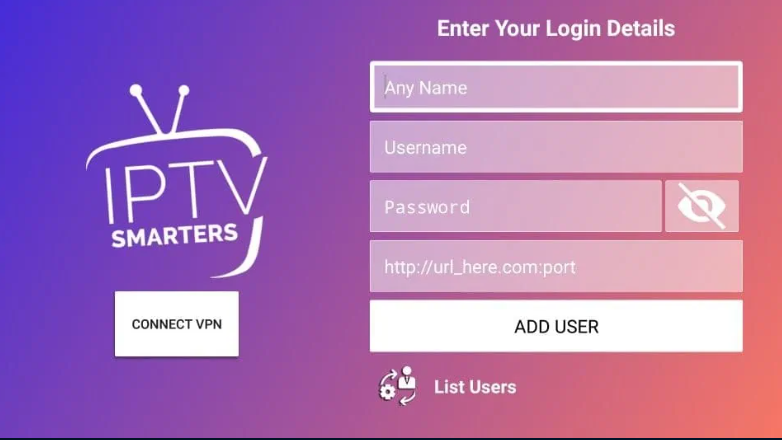
IPTV Smarters

IPTV Smarters is another IPTV player option available on supported platforms. Compatibility may vary by country, device and app version, so check the current installation instructions first.

Installation Guide

05

BOB Player

BOB Player is another IPTV player option that can be considered for compatible devices. Visit the player resource for installation information and current setup instructions.

Installation Guide

06

Other IPTV Players

There are many IPTV players available for different Smart TVs, Android TV devices, Firestick and mobile platforms. Explore more IPTV player options and installation resources here.

Explore IPTV Players
Important: App Compatibility

IPTV app availability and compatibility can vary depending on your device, operating system, country and the current app version. Always check the relevant installation instructions before choosing an IPTV player for your Strong 8K setup.

STRONG 8K IPTV SETUP

Strong 8K IPTV Installation & Setup

Setting up Strong 8K IPTV starts with choosing the right app or IPTV player for your device. Follow these general steps before opening the detailed installation guide for your selected player.

01

Choose Your Device

Start by identifying the device you want to use with Strong 8K IPTV, such as Firestick, Android TV, Smart TV, smartphone, tablet or another compatible streaming device.

02

Select an IPTV App or Player

Choose a compatible application or IPTV player for your device. Available options can include Strong 8K App, IBO Player, TiviMate, IPTV Smarters and other compatible players.

03

Add Your IPTV Details

Open the selected player and use the login method supported by your setup. Depending on the player, this may include Xtream Codes credentials or an M3U playlist URL.

04

Wait for the First Sync

After saving your details, allow the player to load the available Live TV, VOD, series or EPG information. The first synchronization can take a little longer depending on the device and playlist size.

Strong 8K Setup by Device

Use the appropriate installation method for your device and player.

Firestick

Install a compatible IPTV player and follow its Firestick installation instructions before adding your Strong 8K details.

Android TV

Android TV and Google TV devices can use compatible IPTV players available through the appropriate app installation method.

Smart TV

Samsung, LG and other Smart TVs may use players available through their own application stores, depending on the TV platform.

Mobile Devices

Phones and tablets can use compatible IPTV applications from their supported app stores or installation methods.

Installation methods can change

App availability, device compatibility and installation steps can change over time. Always use the current instructions for the specific IPTV player and device you are using.

STRONG 8K ON FIRESTICK

Strong 8K IPTV on Firestick

Learn the basic process for setting up Strong 8K IPTV on a compatible Amazon Firestick device. The exact installation steps depend on the IPTV app or player you choose to use.

Before You Start

Make sure your Firestick is connected to the internet and has enough available storage for the IPTV player you want to install. Then choose an app that is compatible with your device and current software version.

01

Choose Your IPTV Player

Start by selecting a compatible player such as Strong 8K App, IBO Player, TiviMate or another supported IPTV application. IPTV Smarters can also be an option where it is currently available and compatible.

02

Install the Selected App

Follow the current installation instructions for the player you selected. Installation methods can vary, so use the guide that matches your specific application.

03

Open the IPTV Player

Once the application is installed, open it on your Firestick and select the login or playlist method supported by your Strong 8K IPTV setup.

04

Enter Your IPTV Details

Depending on the player, you may be asked for Xtream Codes credentials, an M3U playlist URL or another supported connection method. Enter the details exactly as provided.

05

Wait for Your Content to Load

After saving the connection details, give the player time to synchronize. Depending on the setup, Live TV, VOD, series and EPG information may load separately.

DETAILED GUIDE

Need more help with Firestick setup?

Follow our dedicated guide for IPTV Smarters on Firestick or explore more IPTV app guides for compatible Android TV devices.

STRONG 8K IPTV DEVICES

Strong 8K IPTV on Android TV & Smart TV

Strong 8K IPTV can be set up on compatible Android TV and Smart TV devices using an available IPTV app or player. The installation process depends on your television platform and the application you choose.

ANDROID TV

Strong 8K IPTV on Android TV

Android TV and compatible Google TV devices support a wide range of IPTV applications and players. Start by checking which apps are available for your device, then choose the player that matches your Strong 8K IPTV setup.

Check app compatibility
Install your preferred player
Add your IPTV connection details
View Android TV Apps
SMART TV

Strong 8K IPTV on Smart TV

Smart TVs can use IPTV players available through their supported application platforms. Before installation, identify your TV operating system and check whether the selected player is currently available for that platform.

Identify your TV platform
Check available IPTV players
Follow the current player guide
View IPTV Players
QUICK SETUP PATH

Which setup is right for your TV?

01
Android TV / Google TV

Check compatible IPTV players and install the option that fits your device.

02
Samsung / LG Smart TV

Check the TV's available app platform before choosing an IPTV player.

03
External Streaming Device

Firestick and other compatible streaming devices can provide another setup route when supported.

Compatibility comes first

IPTV apps are not universally available on every TV model or in every country. Always check the current availability of the app and the requirements for your specific device before installation.

STRONG 8K SETUP SUPPORT

Need Help With Your Strong 8K IPTV Setup?

Not sure which app to install, where to enter your IPTV details, or how to complete the setup? Get step-by-step assistance and follow the installation process one stage at a time.

App Installation Help

Need help installing Strong 8K App, IBO Player, TiviMate, IPTV Smarters or another compatible IPTV player?

IPTV Login & Codes

Get guidance on where to enter your IPTV username, password, Xtream Codes or M3U playlist details inside the selected player.

Device Setup

Whether you are using Firestick, Android TV, Smart TV or another supported device, setup assistance can help you follow the right installation path.

Step-by-Step Assistance

If you get stuck during installation, support can walk you through the process step by step instead of leaving you to figure it out alone.

SUPPORT AVAILABLE

Free 24/7 Step-by-Step Support

Contact support if you need help with installation, app setup, IPTV login details or device configuration.

24/7 Support Available around the clock
Step by Step Guidance from start to finish
Multiple Contact Options WhatsApp, Telegram & Email
STRONG 8K IPTV FAQ

Strong 8K IPTV Frequently Asked Questions

Find quick answers to common questions about Strong 8K IPTV installation, apps, players, Firestick, Android TV, Smart TV and IPTV setup.

How do I install Strong 8K IPTV?

Start by choosing a compatible IPTV app or player for your device. Install the selected app, open it and enter the Strong 8K IPTV connection details provided for your setup. Depending on the player, this can include Xtream Codes or an M3U playlist URL.

The exact installation steps depend on whether you are using Firestick, Android TV, Smart TV or another supported device.

Which app or player can I use with Strong 8K IPTV?

Available options can vary by device, country and current app availability. Strong 8K users may use the Strong 8K App or compatible IPTV players such as IBO Player, TiviMate, IPTV Smarters and other supported players.

Check the compatibility of the player with your specific device before installing it.

How do I set up Strong 8K IPTV on Firestick?

On Firestick, first choose a compatible IPTV player and install it using the current installation method for that app. Open the player, select its supported login method and enter your Strong 8K IPTV details.

The exact Firestick installation process can change depending on the player and its current availability.

Can I use Strong 8K IPTV on Android TV?

Yes, Strong 8K IPTV can be used through compatible IPTV apps and players on supported Android TV and Google TV devices. Install a compatible player, open it and add your IPTV connection details.

App availability can vary by device, Android version and country, so check the current player requirements before installation.

Can I install Strong 8K IPTV on Samsung or LG Smart TV?

Smart TV setup depends on the TV operating system and the IPTV players currently available in its app store. On supported Samsung and LG TVs, you can search the TV's application store for a compatible IPTV player and then add your Strong 8K details.

Always check that the selected player supports your specific TV model and operating system.

Where do I enter my Strong 8K username, password or M3U URL?

Open your selected IPTV player and look for an option such as Xtream Codes, Login, Add Playlist or M3U Playlist.

Xtream Codes commonly use a server address, username and password, while an M3U setup normally uses a playlist URL. Use the exact details supplied for your Strong 8K IPTV account.

What should I do if Strong 8K IPTV is not loading?

First check that your internet connection is working and that the IPTV login details were entered correctly. Then close and reopen the player and allow time for the first synchronization to finish.

If the problem continues, check the player compatibility and contact Strong 8K support for step-by-step assistance with your device and setup.

Can I get help installing Strong 8K IPTV?

Yes. If you are not sure which app to install, where to enter your IPTV details or how to complete the setup, you can contact support for step-by-step assistance.

Free 24/7 support is available through WhatsApp, Telegram or email.

Still need help with your setup? Get free 24/7 step-by-step assistance.
Contact Support